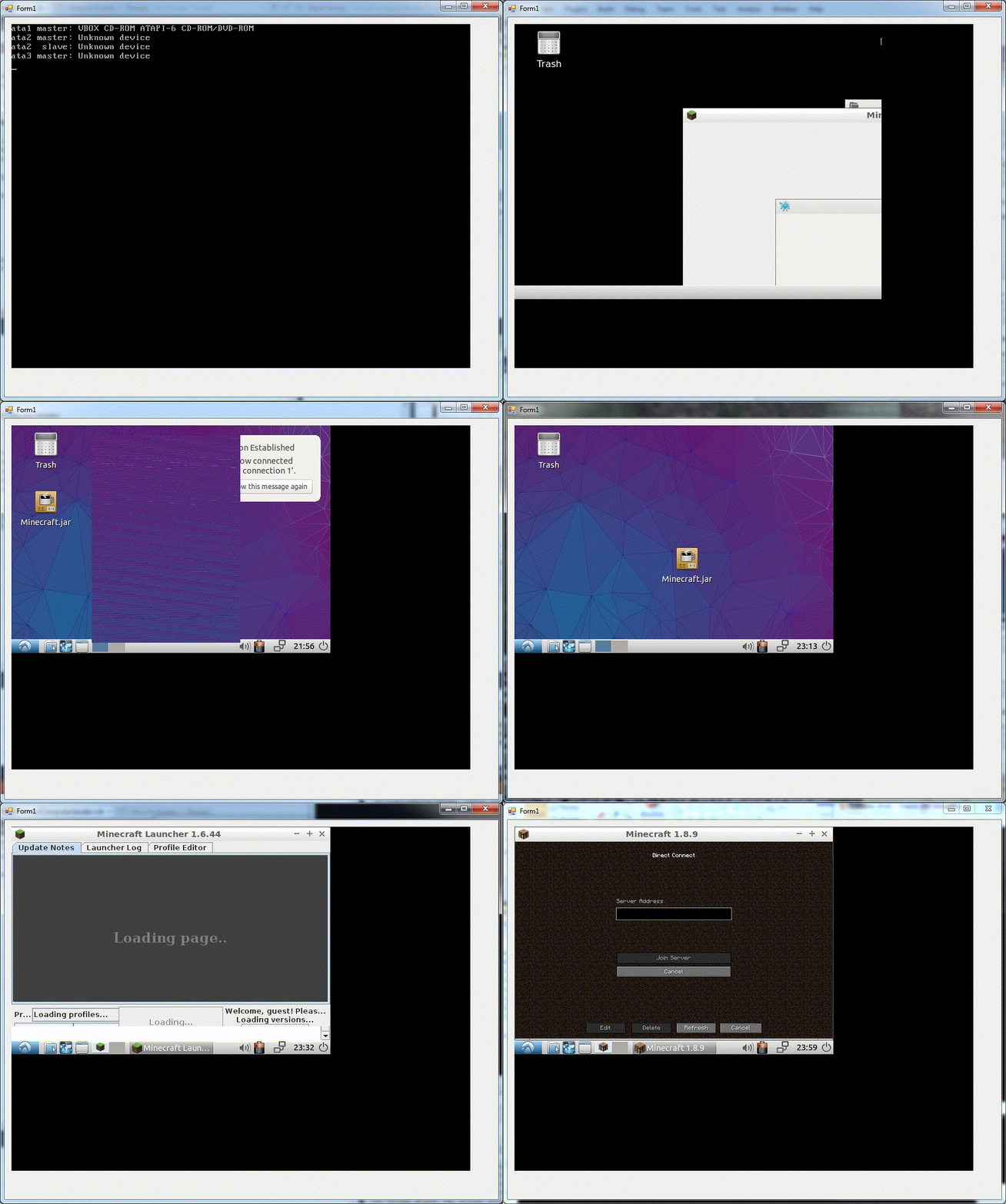
Minecraft computer
This is a serverside plugin that allows a virtual machine to be used inside Minecraft. Once set up on a server anyone can interact with the machine and use Windows, Linux or anything else (even DOS probably).
I started working on this project in November 2015. The first success was on December 5th, 2015, when I managed to get the list of VMs from Minecraft. VirtualBox has multiple APIs and libraries that mostly provide the same functionality, but they all have differences. I think I tried to use the web API first, but ultimately ended up using the MSCOM one. The benefit of that API is that C# and Visual Studio has builtin support for COM. I just had to select the correct library and... figure out how to use the API this way.
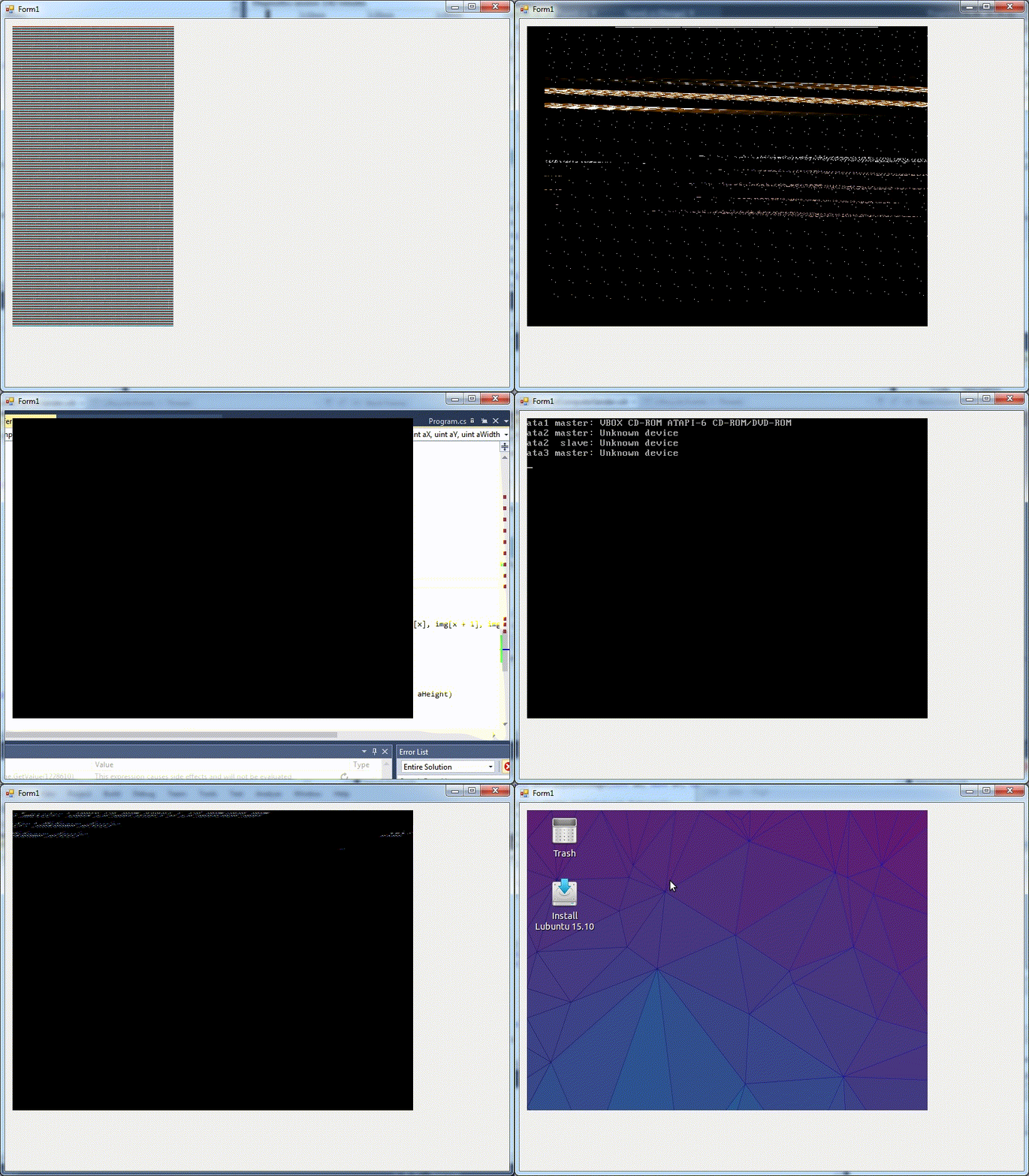
The two GIFs here demonstrate my attempts at interpreting what I received as a screen update. (Scroll down to see them.) I created my own frame buffer to be able to attach a virtual monitor and read its contents. The contents turned out to be raw pixel data in ARGB format by default (I could specify what format I wanted, but I couldn't get that to work reliably at the time). After a lot of trial and error I was able to display the VM screen in a window.
The next step was to display that screen in Minecraft. I found a project called jni4net that creates a bridge between Java and .NET. It took a while to understand how it works, but it ended up working well. For the actual in-game display I first thought of using armor stands with leather armor, knowing that it'd most likely overwhelm the game, I wanted to see what happens. (It overwhelmed the game.)
I eventually settled on using maps because they can be controlled from the server. I found a Bukkit plugin called SketchMap that I used to draw the image onto maps put in item frames. This setup was really slow, but it did the job.
The keyboard needed quite a bit of research. I've learned that keyboards send scancodes to the computer, and VirtualBox actually sends the same scancodes to the virtual machine as well. These scancodes are basically codes for the keys on the keyboard themselves, they're independent of what layout and other settings are set on the system. There are also virtual keys, which is Windows' way of representing the keys. I found a list of virtual keys by names in a project and I used a Windows function to convert them to scancodes and sent that to VirtualBox. Also, I couldn't really find a way to release a key once it's pressed, until I looked into the source code of VirtualBox. I found the code for sending Ctrl+Alt+Del, and found that to release a key, I simply need to add 128 to the scancode (likely to set a bit).
Controlling the mouse is pretty straightforward - I can either move the mouse by some pixels on the X and Y axis or place it at a specific location, and I can scroll as well. I plan to add touchscreen support for the display at some point, so that clicking on the maps representing the screen wouldn't destroy them, it'd click at the point instead. For the sounds, I couldn't really find a way to transfer it in Minecraft without any clientside mods and I couldn't even find a way to get the virtual machine's sound in the first place. So as it is now, it plays the sound on the host's computer because that's how it works by default. But I have a few ideas to get around these limitations.
I released the first version publicly on March 19th, 2016 with a video, some dramatic music included. Also posted it on Reddit and promoted it in our gaming group (Chroma Gaming). The video got a lot more views overnight than any of my previous videos which got me really excited. I wanted to make another video explaining how I made this project, but I never ended up doing that because I wanted to talk in it but was too afraid to.
I started a second version of this plugin at the end of 2016 where I decided to focus on optimization. The first version was Windows-only for multiple reasons (MSCOM, jni4net, scancodes). I decided to use VirtualBox's XPCOM API instead, which (only) supported non-Windows platforms. This could be easily used from Java, avoiding the .NET → Java translation altogether.
During 2017, I also ended up turning my plugin into a (very minimalistic) VirtualBox frontend to further optimize the rendering. I was no longer running a separate VM process, I had it start the machine inside the Minecraft server process. This was absolutely discouraged for multiple reasons and by the time I got to the end of this version I fully understood why. The server had to be run as root (very much not a good idea for something like a Minecraft server) and if anything went wrong with how I handled the VM the whole server would crash.
But this meant that instead of receiving the image data as a byte array, I received a pointer to a part of the shared memory that contained the screen data. The library (and my unoptimized code) didn't have to copy and change the pixel information (which is a lot of data), making screen updates faster. I also removed the code from the map rendering plugin and made my own, more specialized map renderers. I made one that worked basically the same way as before, using the Bukkit API to manipulate the map data. The other one used internal, version-dependent methods to directly copy the image in a more efficient way.
I eventually got stuck on this version as the Java bindings didn't seem to support creating a whole frontend for VirtualBox. After figuring issues out around VM initialization, I couldn't actually get a pointer to the screen data. I had to edit the Java source code that was generated for the API. I tried various ways to efficiently convert the received image to the correct format, I even made a C library at one point.
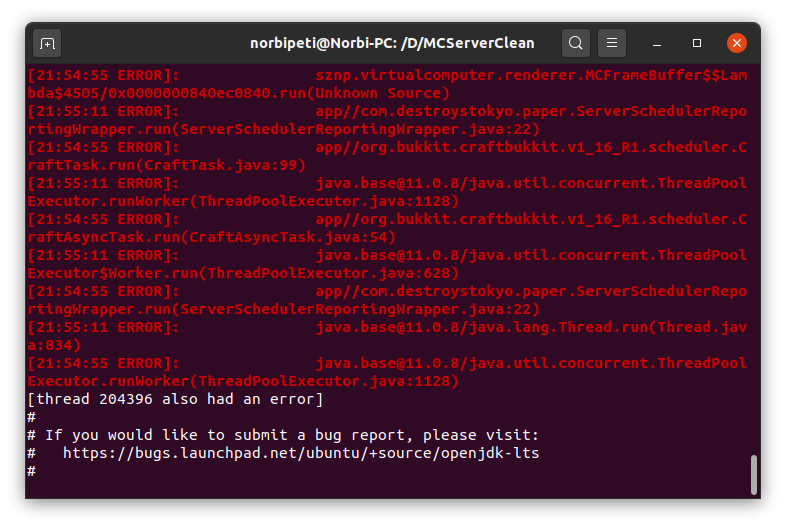
After a couple of years in 2019 I came across a project for running Java code on the GPU called Aparapi. It had a lot of undocumented quirks, but it did work well. Each time I didn't use it properly the whole server would crash (once again). One time I got a lot of stack traces printed out because the server froze then the server would print "[thread 204396 also had an error]" and lines hinting that the JVM has crashed. I found it quite impressive.
I did end up publishing the second version on April 18th, 2019. I decided to go in the opposite direction with the video as last time and chose a meme song for it. I wasn't sure afterward if this was a wise choice, but I like how the video turned out otherwise. I decided to showcase Windows this time as I was running the project on Linux (it was the other way around for v1). I even managed to run Overwatch, although at several seconds per frame. I was kind of surprised it even ran on my 640x480 in-game resolution. Minecraft didn't work however, because I couldn't enable the GPU acceleration option in the VM with my custom frontend.
I still have plans for this project, although my interest hasn't been the same. I added event handling and various error handling code to a newer version, then attempted to rewrite the whole project using libvirt as it allows very fine-grained control over the virtual machine and allows using more software. But this level of control is the drawback as well: I got overwhelmed with it. Maybe someday.